AEC Integration Platform for BIM Coordination | ORIL

Platform

Web + Windows desktop agent

Industry

Construction Technology / AEC

Business Challenges

The product had strong market demand and early users, but its foundation wasn’t ready for growth.

  • Fragmented workflows. Teams switched between the drawing-review tool and Autodesk, manually copying comments into issues.
  • No multi-tenant architecture. Shared credentials and missing data isolation prevented secure enterprise onboarding.
  • Invisible sync failures. Hung vendor API connections stopped synchronization without triggering dashboard alerts.
  • Fragile core functionality. Drawing-based issue placement relied on vendor API capabilities that could change without warning.
  • Unreliable decision history. Missing user attribution and editable records undermined trust in dispute resolution and project closeout.

Project Roadmap

01
02
03
04
05

01Code & Architecture Audit.

Audited integrations, security, deployment, and monitoring, validating and prioritizing findings by business impact.

02Prioritized Roadmap.

Phased improvements into quick wins and multi-tenancy implementation to enable growth and close security gaps.

03Integration Development.

Built two-way sync with Autodesk Construction Cloud, pin-placement verification, and API contract tests.

04Enterprise Readiness.

Implemented OAuth 2.0 with PKCE, customer-isolated data and credentials, and individual user accounts with role-based access.

05Reliable Operations.

Added sync monitoring, alerts, tested off-site backups, CI/CD safeguards, verified installers, customer-side updates, and least-privilege access.

How It Works

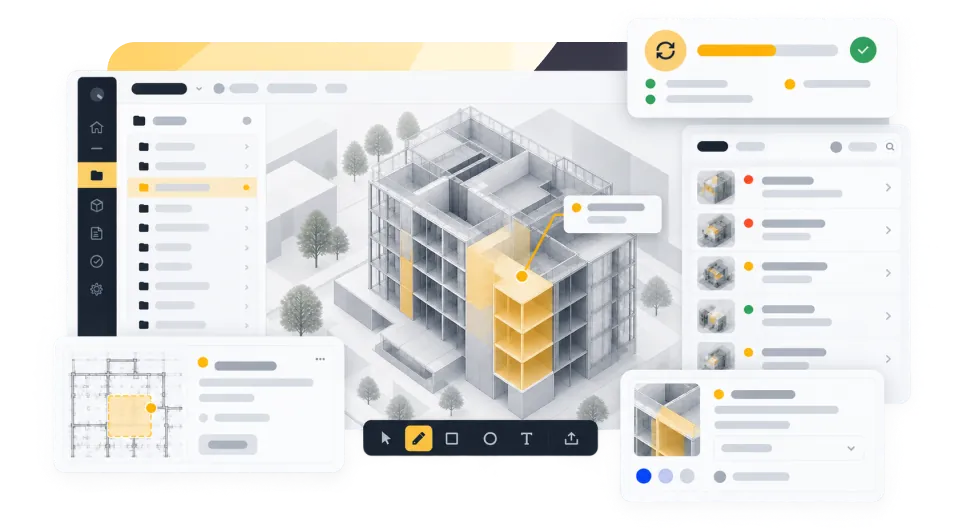
The platform brings both tools into one dashboard. Project teams see every review comment and every project issue as one list of tasks, whichever tool it started in.

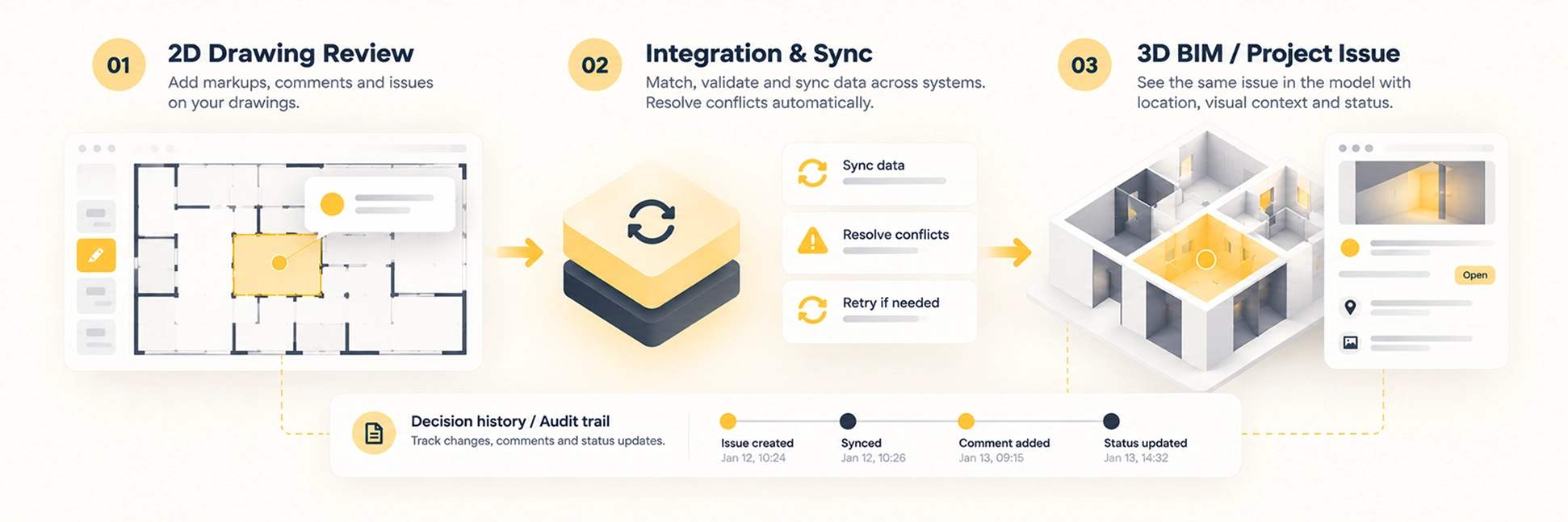
When a reviewer marks up a drawing, the markup appears on the dashboard and as an issue in Autodesk Construction Cloud, pinned to the right place on the sheet. When the issue is resolved, the status updates everywhere automatically. Teams can still work in their usual tools, but the dashboard gives them one view of the whole project.

Every coordination decision is attributed to the person who made it and stored in an append-only, tamper-evident log. The project history stays complete and can be relied on as evidence.

Visual guide illustrating the AEC integration process from 2D drawing review to 3D BIM project issue resolution.

Main Platform Features

01
Unified Task Dashboard
One view of all review comments and project issues across both tools, with statuses, owners, sync health and links to the original drawing or model.
02
Automatic Two-Way Sync
Issues and statuses stay aligned across tools, with retries, failure alerts and no manual re-entry.
03
Issues with Full Context
Every issue keeps its sheet, exact location and visual reference, and the platform confirms each pin after it's created.
04
2D–3D Coordination
Drawing reviews are connected to the related issues and changes in the Revit model.
05
Secure Multi-Customer Access
Each customer has separate credentials and data, and every user has their own role and permissions.
06
Tamper-Evident Decision History
Every decision is attributed to a named user and protected from changes after the fact.
07
AI-Assisted Coordination
The platform suggests related issues and flags likely duplicate markups before they turn into duplicate issues. A person confirms every suggestion, so AI output never enters the record on its own.
08
Cloud or Self-Hosted
Clients with strict data policies can run the platform on their own infrastructure, so project data stays within their network.

Results

  • One place to manage coordination. Teams track tasks from both tools in a single dashboard instead of switching between systems.
  • Ready to scale. Per-customer credentials and data separation let the platform onboard new enterprise clients without security or rate-limit conflicts.
  • Less manual work for project teams. Markups become project issues automatically.
  • No more silent failures. Sync stalls now trigger alerts instead of hiding behind a green dashboard.
  • Protected core functionality. Pin checks and live contract tests catch vendor-side changes before customers see them.
  • A decision record clients can rely on. Attributed, tamper-evident coordination history holds up in disputes and at project closeout.
  • Lower business risk. Off-site backups, a tested recovery process and gated releases protect customer data and the product’s reputation.

Technologies

JavaScript

JavaScript

Node.js

Node.js

OAuth 2.0 (PKCE)

OAuth 2.0 (PKCE)

Multi-tenant<br>architecture

Multi-tenant
architecture

CI/CD

CI/CD

Sentry

Sentry

Integrations: Autodesk Construction Cloud · Autodesk Platform Services · Bluebeam Revu · Revit

Building a Construction Tech Product?

Whether you’re integrating with Autodesk or preparing your product for enterprise clients, we can help you get there faster and with fewer risks. Tell us what you’re working on, and we’ll get back to you within 24 hours.


    I have read and accepted the Privacy Policy & Cookie Policy